

February’s release is anchored around the introduction of Lead Management, a major step forward in how loan officers capture, prioritize, and act on opportunities inside Total Expert. Alongside Lead Management, we’re also delivering improvements across reporting, mobile workflows, journey targeting, and platform foundations, removing friction and creating a more consistent, scalable experience for teams.
Lead Management
Why it matters
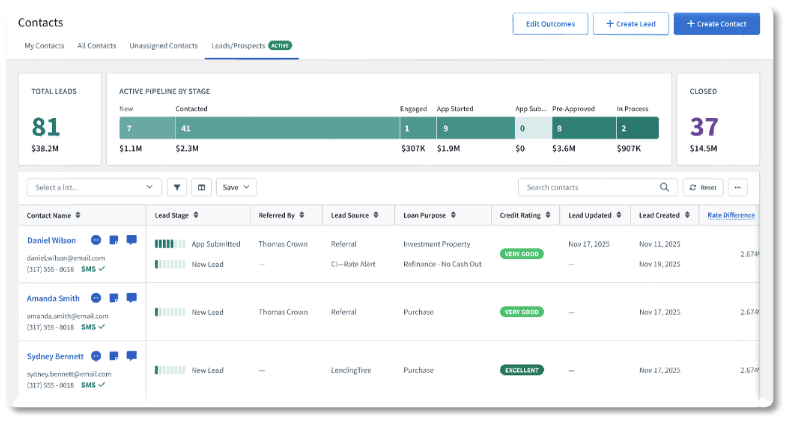
Lead Management introduces a centralized way for loan officers to capture, prioritize, and work leads in Total Expert. It reduces manual effort and inconsistent follow-up and lays the groundwork for smarter routing and reporting.
What’s new
Lead Management allows lenders to:
- View and manage all leads in a unified platform
- Automatically route leads to the right loan officer using rule-based distribution
- Trigger personalized Journeys based on lead data and activity
- Track lead progress with standard stages and audit trails
- Import leads in bulk or individually, with contact-matching logic
- Monitor performance through standard reports
Availability
- Audience: Loan Officers and teams that support LO workflows
- Status: Moving into General Availability in the coming weeks
How to get started
We will share additional guidance on enabling Lead Management and the available configuration options. In the meantime, leverage your Customer Success Manager (CSM) as a resource to help you understand next steps, including the implementation services package required.
Reporting Center
Why it matters
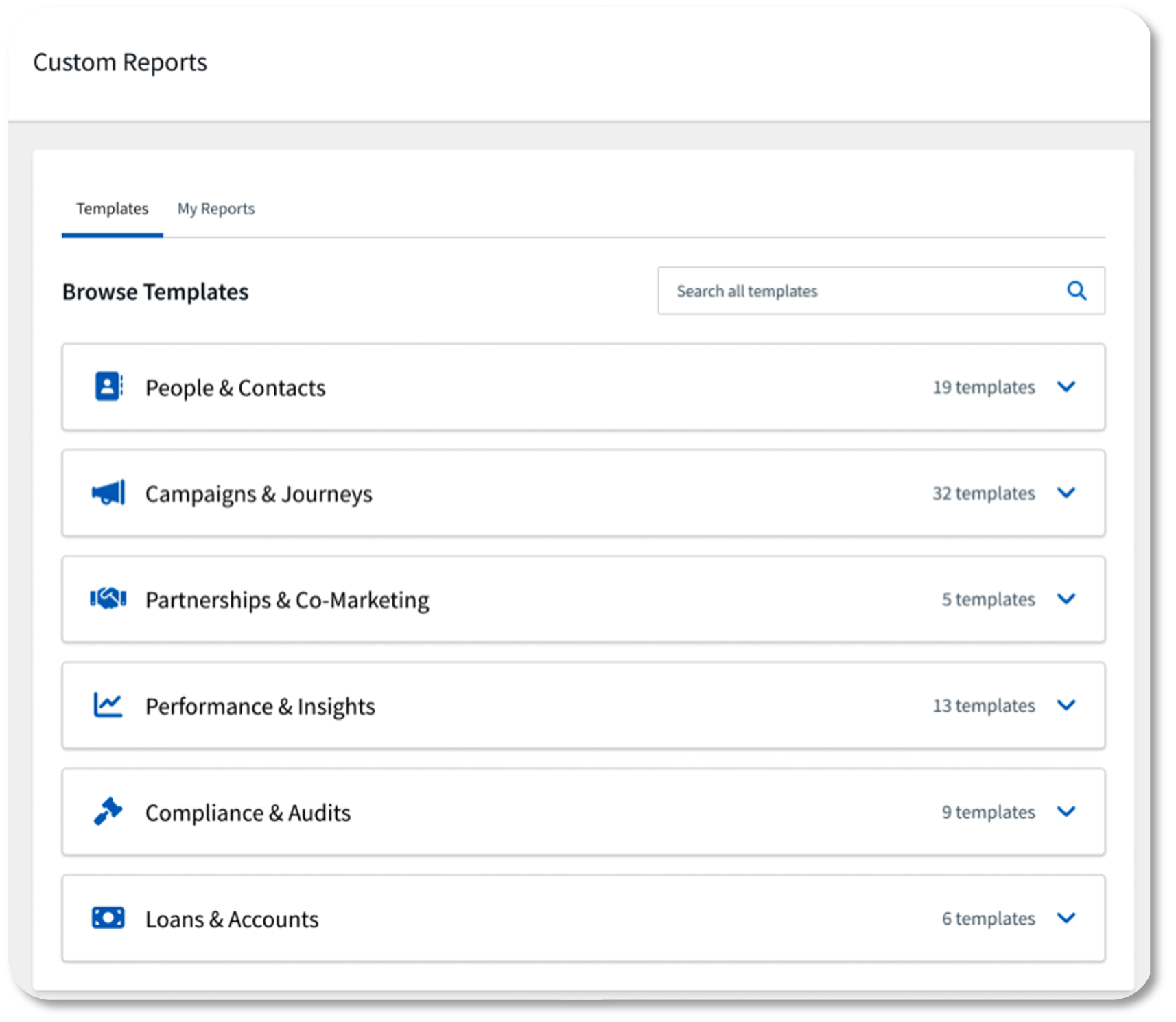
Reporting Center gives admins a centralized place for self-service access to templated reports curated from the most-requested data, without the need to submit a report request. It’s a key part of the broader Data Services strategy, helping customers better understand and act on their data without extensive customization.
What’s new
Based on the current plan and OR guide, Reporting Center:
- Consolidates key data (audits, journeys, contacts) into a single admin experience.
- Lays the foundation for more flexible, self-service reporting.
Availability
- Audience: Admins who manage data, reporting, and governance.
- Status: Expected to release before the end of February
How to get started
Automatically enabled for Admins at the time of release. Admins can begin using the Reporting Center to replace submitting report requests.
Pricing Engine Schema
Why it matters
Many lenders use pricing and product engines (PPEs) beyond Optimal Blue and Polly, including smaller vendors or in-house engines. The Pricing Engine Schema (via Total Expert Connect) gives these organizations a standardized way to integrate any PPE with Total Expert, so they can use rate-driven workflows and marketing assets without the need of a native point-to-point integration.
What’s new
Pricing Engine Schema introduces an agnostic, Total Expert defined PPE API and configuration model that partners and clients can implement to connect their PPE to Total Expert.
- Designed to support multiple PPE providers: third party engines like LenderPrice, Mortech, and proprietary/in house PPEs, in addition to existing Optimal Blue and Polly integrations.
- Once configured, the client PPE data can be used in:
- Marketing rate flyers and assets
- Contact level rate quotes
Availability
- Audience: Admins and Loan Officers using Pricing Engines outside of Optimal Blue or Polly
- Status: Available for Third-Party Integrators
How to get started
Connect with your CSM for the specifications to use Total Expert Connect to PPEs.
Mobile – Mark a Conversation as Unread
Why it matters
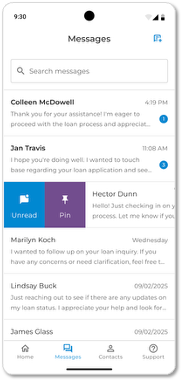
Mobile users can now mark conversations as unread, making it easier to triage messages, track what still needs attention, and manage their day from their phone.
What’s new
- A new option in the Total Expert mobile app to mark a conversation as Unread.
- Unread conversations remain visually flagged so users can quickly identify items that still require action.
Availability
- Audience: All Total Expert mobile app users
- Status: General Availability for all mobile users
How to get started
Encourage users to update to the latest version of the Total Expert mobile app to enjoy the improved experience.
Password Lockout
Why it matters
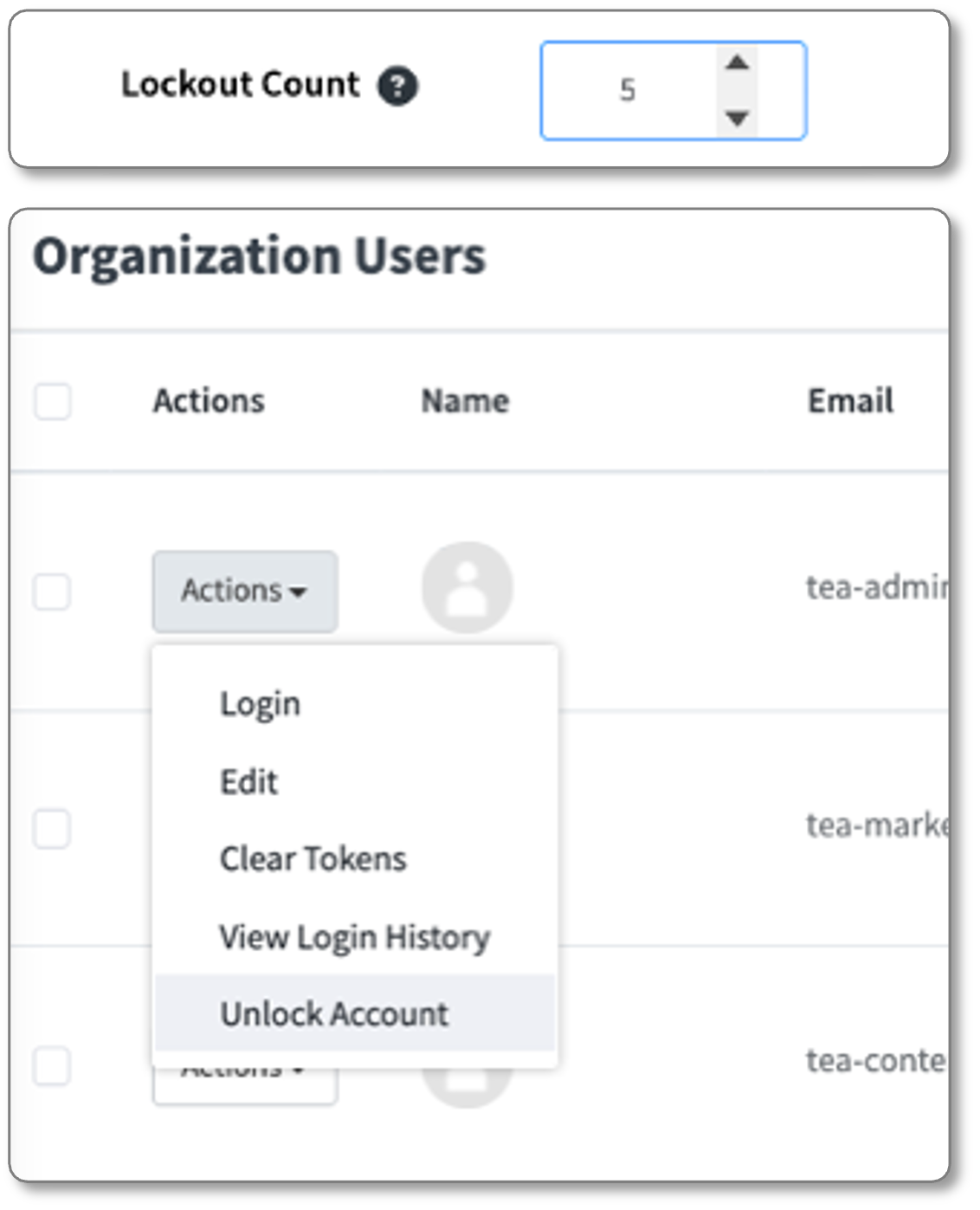
Password Lockout strengthens client security by preventing repeated failed login attempts and providing admins with tools and visibility to support locked-out users.
What’s new
- Automatic account lockout after a defined number of failed web login attempts.
- Admin visibility into which users are currently locked out.
- Clear guidance on how admins and support teams can help users regain access.
Availability
- Audience: Admins and security/governance stakeholders at organizations not using SSO to access Total Expert (All users benefit indirectly from improved protection)
- Status: Live on February 17 (Applies to web login). Password Lockout for mobile is planned separately and is not part of this release.
How to get started
Expert Content – Seasonal Home Maintenance, DIY, and Recipe Social Posts
Why it matters
These Expert Content assets give marketers and producers turnkey, high-value social posts that keep them in front of consumers year-round, offering practical home tips and lifestyle content that drive engagement and nurture relationships.
What’s new
- 8 seasonal home maintenance tips
- Examples: gutter cleaning, checking home foundation, storing garden hoses for winter.
- 8 DIY project tips
- Examples: painting tips, front door upgrades, replacing cabinet hardware.
- 8 seasonal recipes
- Two recipes per season pulled from the quarterly Savor newsletter ranging from main dishes to desserts and salads.
These are designed to be quickly deployed as social posts and campaigns.
Availability
- Audience: Marketing and content admins using Expert Content. Loan officers leveraging Expert Content assets in their consumer marketing.
- Status: Available via the Expert Content program as part of the current quarterly plan
How to get started
Small Changes. Big Impact.
Why it matters
The following are smaller, high-impact improvements and fixes driven directly by customer and internal feedback. They improve the day-to-day experience, remove friction, and increase reliability across key areas like mobile, campaigns, and platform foundations.
What’s new
Each update represents a specific usability enhancement, fix, or minor feature. Collectively, they improve stability, UX consistency, and alignment with customer expectations:
- Mobile App
- The Last Contacted timestamp on the Contact List now displays in the user’s local time zone instead of UTC. This update ensures the mobile experience matches the web, providing consistent and accurate contact activity timing.
- Contacts with invalid phone numbers can no longer receive opt-in requests. Users are now blocked from sending messages to invalid numbers and will see a persistent alert when an invalid phone number is detected, in both new and existing conversations.
- Mobile messaging now alerts users when a contact’s phone number has been updated to an invalid format. If an existing conversation is tied to an invalid number, users are prevented from sending messages and clearly notified that the number cannot be messaged.
- Messaging for pending opt-in requests is now consistent across the Messages and Contact Details pages. When an opt-in request has been sent within the past 12 hours, the Resend Opt-In Request button is disabled on both pages, with clear messaging indicating the 12-hour wait period.
- The mobile app now respects Do Not Call (DNC) status while preserving visibility. Contacts marked as DNC will remain visible in the contact list, but call actions are disabled to prevent outreach while maintaining context and awareness.
- Campaigns
- New loan fields are now available within the Journey Builder, enabling more precise targeting using payment, MI, DTI, lien, and points data. Additional commercial and reverse mortgage–specific fields are conditionally available based on feature access, supporting more advanced Customer Intelligence–driven journeys.
- Content
- Search now supports exact phrase matching using quoted terms. When users wrap a query in quotes, results return only assets containing that exact phrase (including stop words), while unquoted searches continue to use the existing partial-match behavior.
- Email selection in the Journey Canvas now supports Best Match sorting to improve search accuracy. When users search for an email, results are automatically ranked by relevance, making it easier to quickly find exact or closely matched emails, with flexible sort options available as needed.
- Platform
- The agent-users API now supports filtering by user attributes, including email, ID, username, and external ID. This update allows requests to return only the co-marketing partners associated with a specific user, improving precision and efficiency for integrations.
Together, these February updates lay important groundwork for more efficient growth, starting with Lead Management and supported by ongoing enhancements across data, mobile, campaigns, and content. If you want help with any of these updates, please reach out to your CSM, and we’ll continue building toward a more connected, intelligent customer journey.