

New emails you create in the email builder now start as drafts. A draft is your private work in progress. You won't be able to schedule it or use it in journeys and campaigns until you publish it.
Why this matters
You can build at your own pace, working on an email over time without it being available to use anywhere else. You also avoid accidental sends, because unfinished emails can't be scheduled or added to journeys and campaigns.
How it works
- Create a new email. Emails you start from scratch, from the Template Gallery, from pasted code, or by copying an email in My Emails open as a draft.
- Save as often as you need. Saving keeps the email as a draft.
- Select Publish when the email is ready. Publishing makes the email live. You can then schedule it and use it in journeys and campaigns.
- Keep editing as usual. After the first publish, every save goes live right away, the same as today.
Where you'll see Draft status
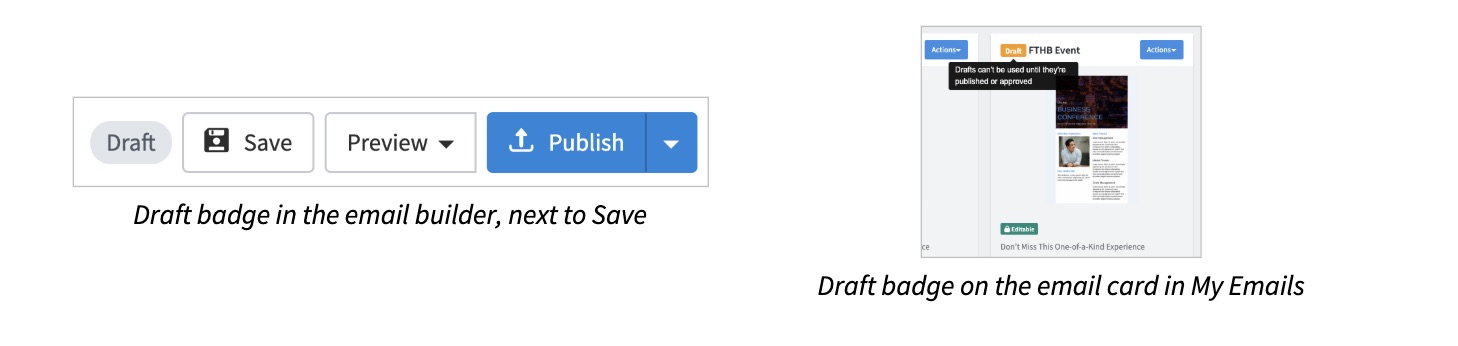
Good to know
- Only the person who created a draft can publish it. If a teammate created the email, ask them to publish it.
- Your existing emails don't change. Only emails created after this update start as drafts.
- The classic editor is not affected. Emails created in the classic editor work the same as today.
- Approval flows work the same as today. If your emails go through an approval flow, nothing changes in that process.
Tip: Can't find your new email when scheduling or building a journey or campaign? Open the email and look for the Draft badge. Select Publish, then try again.